ВерниПароль.ру использует кукис-файлы. Продолжая пользоваться сайтом, вы соглашаетесь с их использованием.
Так точно!

Fibocom L850gl Change Imei -

Пожалуй, самый быстрый способ восстановить забытый пароль к файлам Microsoft Office и OpenOffice

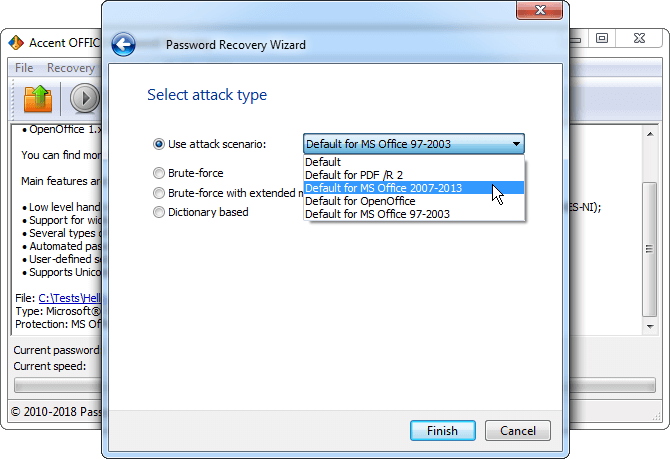
Снимок экрана Accent OFFICE Password Recovery

Fibocom L850gl Change Imei -

Disclaimer: This post is for educational purposes only. Changing the IMEI of a cellular modem is illegal in many jurisdictions (e.g., EU, USA, Canada, China) unless you are the original equipment manufacturer or a licensed repair center with legal justification (e.g., replacing a broken modem with a donor IMEI from an identical, legally owned device). Modifying an IMEI to bypass carrier blacklists or evade tracking is a serious crime. Proceed at your own risk.


Step 1: Identify the Modem’s COM Port

  1. Open Device Manager.
  2. Expand Modems or Ports (COM & LPT).
  3. Look for Fibocom L850-GL.
  4. Note the COM port number (e.g., COM5). If you see multiple, choose the Diagnostics or AT port (usually the highest-numbered one).

Alternative: Use ATI command after connecting to confirm you’re talking to the right device.

Using AT Commands

  1. Connect to the Module: Use a terminal or serial console software. Set the baud rate appropriately (typically 115200 for many modules).

  2. Enter AT Command Mode: Send AT and press Enter. The module should respond with OK.

  3. Enable Editing: Some modules require you to enable the editing of parameters. This might involve using a specific AT command like AT+EGMR=1,1 to enable writing. fibocom l850gl change imei

  4. Change IMEI: Use the AT command AT+EGMR=1,2,"new_imei" where new_imei is the new IMEI you want to set. For example: AT+EGMR=1,2,"490154203237518".

  5. Reboot the Module: After changing, reboot the module for the changes to take effect.

Step 3: Patch the NVRAM

You would hex-edit the firmware image, searching for the ASCII or packed BCD representation of your current IMEI (e.g., 35 31 33 35...) and replace it with the target IMEI, ensuring the checksum (often Luhn algorithm for the last digit) is recalculated.

The Real (Dangerous) Method: Forced Firmware Flashing

In underground forums and certain Russian/Chinese hardware hacking communities, there is a method involving: Disclaimer: This post is for educational purposes only

  1. Putting the L850-GL into "Download Mode" by shorting specific test points (TP) on the PCB while powering on.
  2. Using Qualcomm’s QPST tool – Wait, but the L850-GL is Intel-based. So this is a red herring. Some hacks misidentify the chip.
  3. The correct approach for Intel XMM modems: Using Generic Intel Flash Tool (GIFT) or Rescue and Smart Assistant (RSA) for IoT – tools not meant for end users.

Here is a high-level, unverified technical workflow discussed in reverse-engineering circles:

Step 6: Reboot the Modem

The change is only temporary until a power cycle. Send:

AT+CFUN=1,1

Or physically restart your laptop / re-seat the modem.

Using Fibocom Provided Tools

  1. Install Software: If Fibocom provides specific software for configuration, install it on your computer. Step 1: Identify the Modem’s COM Port

  2. Connect the Module: Follow the software’s instructions for connecting to the module.

  3. Locate IMEI Settings: Use the software to find the IMEI settings section.

  4. Change IMEI: Enter the new IMEI and save the changes.

  5. Update Firmware (if necessary): Some modules may require a firmware update to accept the new IMEI.

Step 7: Verify the Change

After reboot, re-open the COM port and run:

AT+CGSN

The output should now show your new IMEI.

Disclaimer: This post is for educational purposes only. Changing the IMEI of a cellular modem is illegal in many jurisdictions (e.g., EU, USA, Canada, China) unless you are the original equipment manufacturer or a licensed repair center with legal justification (e.g., replacing a broken modem with a donor IMEI from an identical, legally owned device). Modifying an IMEI to bypass carrier blacklists or evade tracking is a serious crime. Proceed at your own risk.


Step 1: Identify the Modem’s COM Port

  1. Open Device Manager.
  2. Expand Modems or Ports (COM & LPT).
  3. Look for Fibocom L850-GL.
  4. Note the COM port number (e.g., COM5). If you see multiple, choose the Diagnostics or AT port (usually the highest-numbered one).

Alternative: Use ATI command after connecting to confirm you’re talking to the right device.

Using AT Commands

  1. Connect to the Module: Use a terminal or serial console software. Set the baud rate appropriately (typically 115200 for many modules).

  2. Enter AT Command Mode: Send AT and press Enter. The module should respond with OK.

  3. Enable Editing: Some modules require you to enable the editing of parameters. This might involve using a specific AT command like AT+EGMR=1,1 to enable writing.

  4. Change IMEI: Use the AT command AT+EGMR=1,2,"new_imei" where new_imei is the new IMEI you want to set. For example: AT+EGMR=1,2,"490154203237518".

  5. Reboot the Module: After changing, reboot the module for the changes to take effect.

Step 3: Patch the NVRAM

You would hex-edit the firmware image, searching for the ASCII or packed BCD representation of your current IMEI (e.g., 35 31 33 35...) and replace it with the target IMEI, ensuring the checksum (often Luhn algorithm for the last digit) is recalculated.

The Real (Dangerous) Method: Forced Firmware Flashing

In underground forums and certain Russian/Chinese hardware hacking communities, there is a method involving:

  1. Putting the L850-GL into "Download Mode" by shorting specific test points (TP) on the PCB while powering on.
  2. Using Qualcomm’s QPST tool – Wait, but the L850-GL is Intel-based. So this is a red herring. Some hacks misidentify the chip.
  3. The correct approach for Intel XMM modems: Using Generic Intel Flash Tool (GIFT) or Rescue and Smart Assistant (RSA) for IoT – tools not meant for end users.

Here is a high-level, unverified technical workflow discussed in reverse-engineering circles:

Step 6: Reboot the Modem

The change is only temporary until a power cycle. Send:

AT+CFUN=1,1

Or physically restart your laptop / re-seat the modem.

Using Fibocom Provided Tools

  1. Install Software: If Fibocom provides specific software for configuration, install it on your computer.

  2. Connect the Module: Follow the software’s instructions for connecting to the module.

  3. Locate IMEI Settings: Use the software to find the IMEI settings section.

  4. Change IMEI: Enter the new IMEI and save the changes.

  5. Update Firmware (if necessary): Some modules may require a firmware update to accept the new IMEI.

Step 7: Verify the Change

After reboot, re-open the COM port and run:

AT+CGSN

The output should now show your new IMEI.