
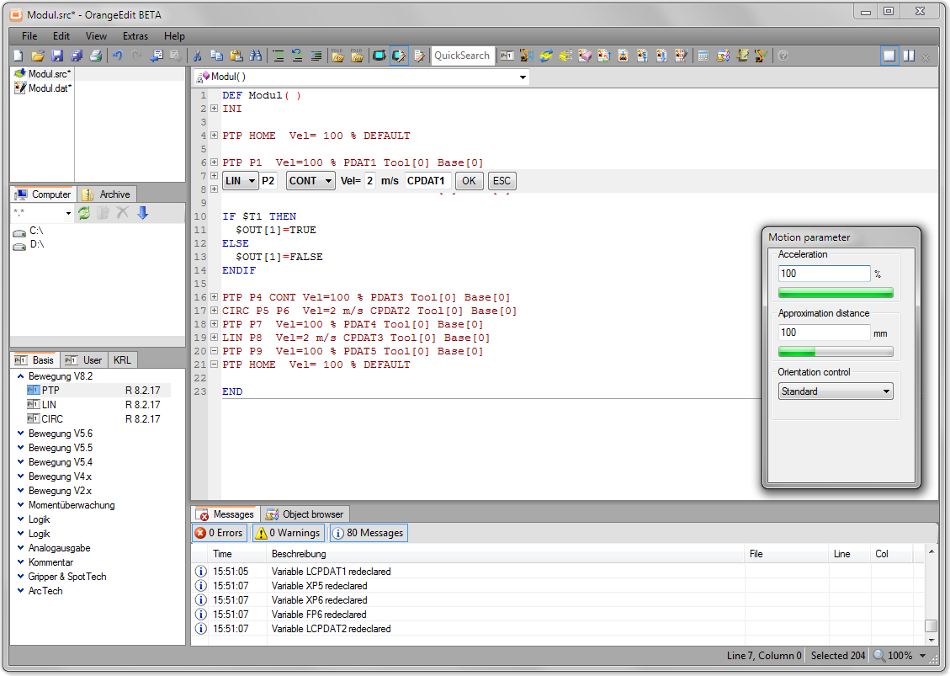
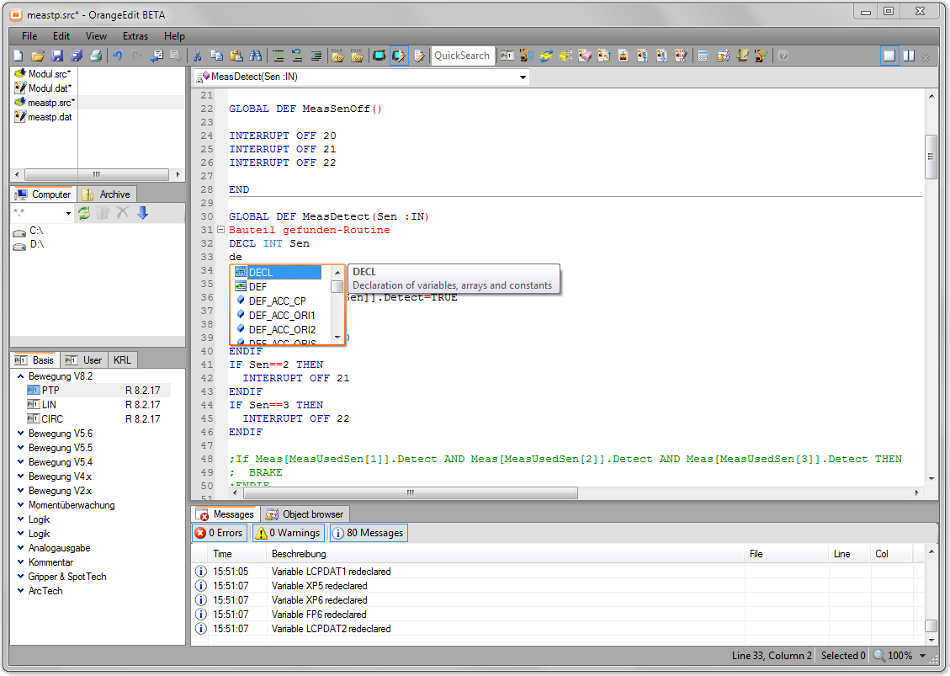
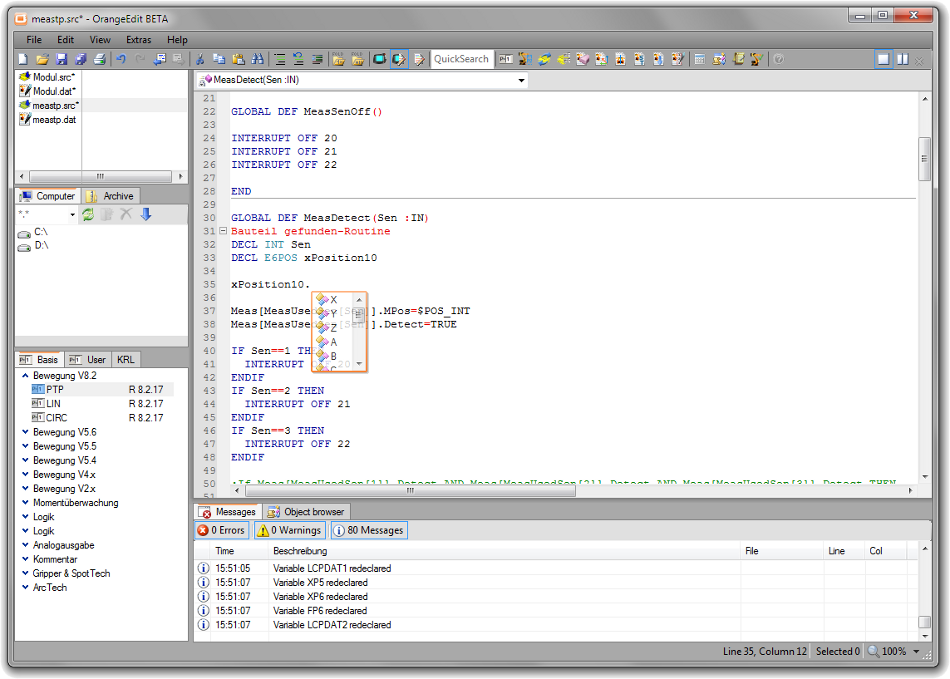
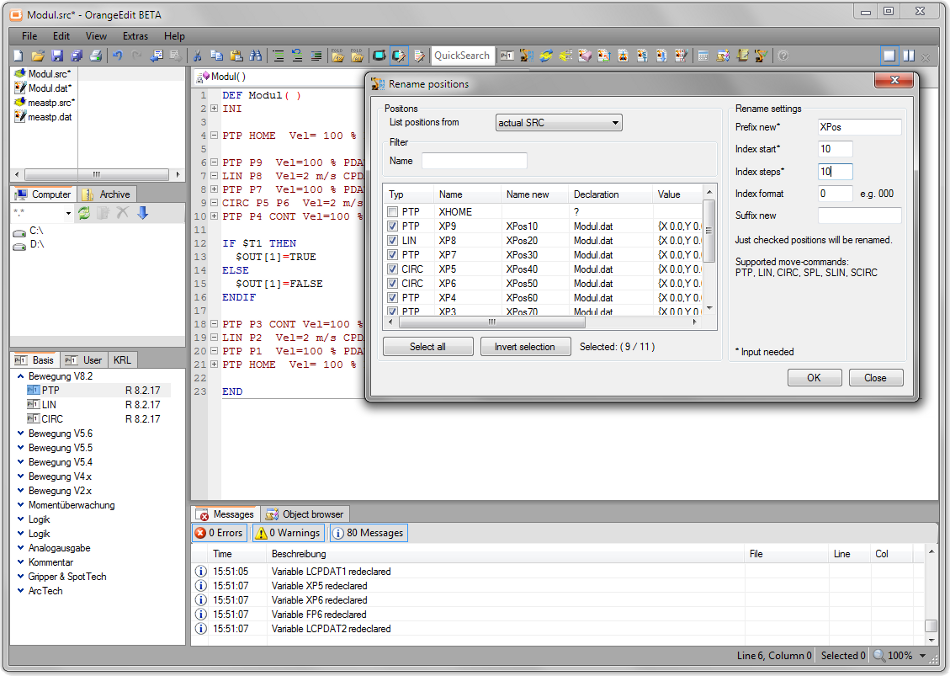
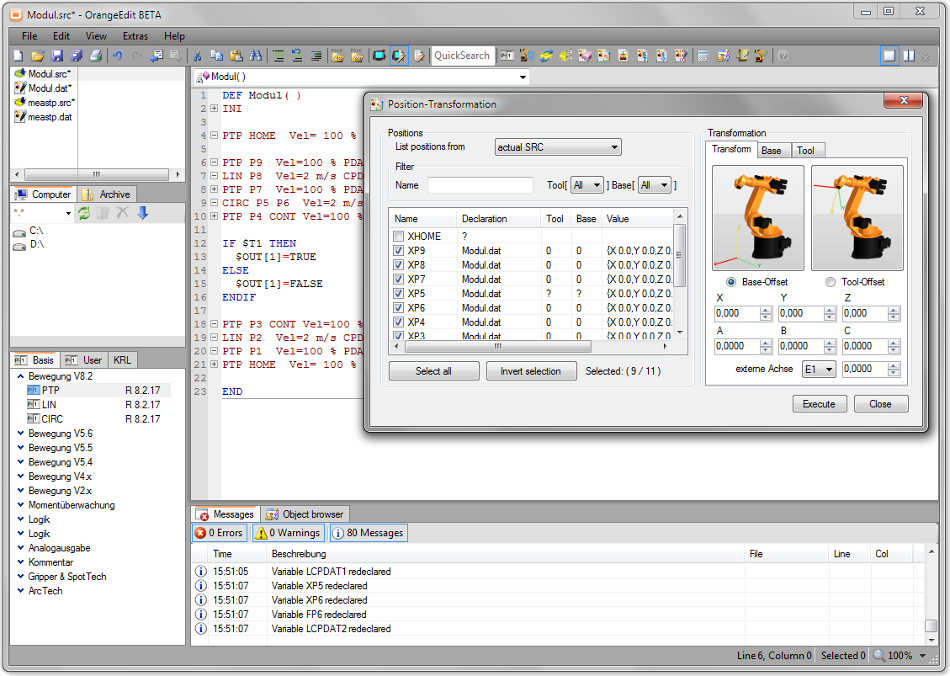
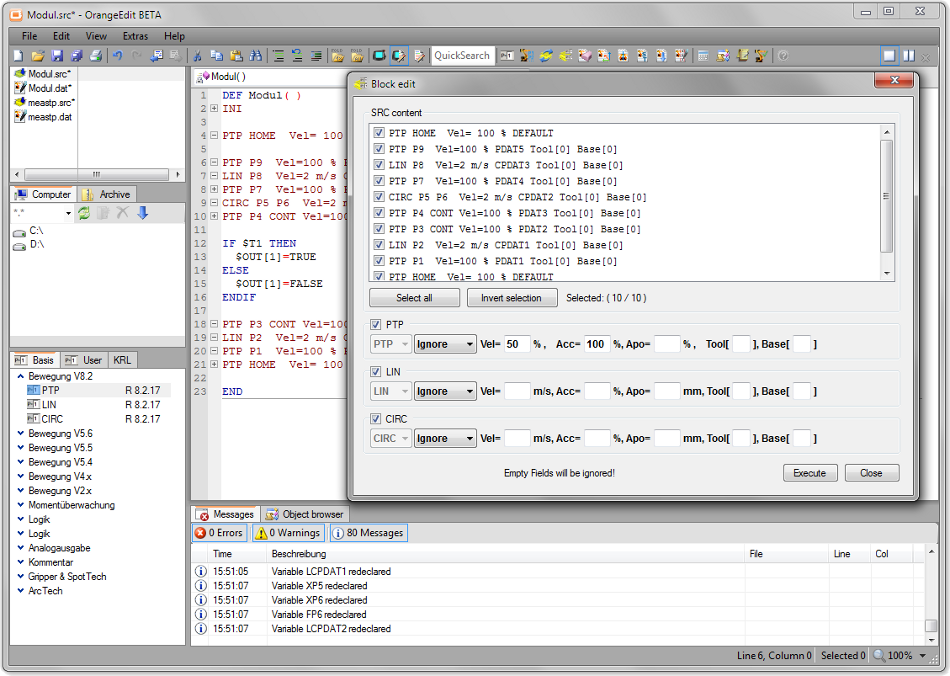
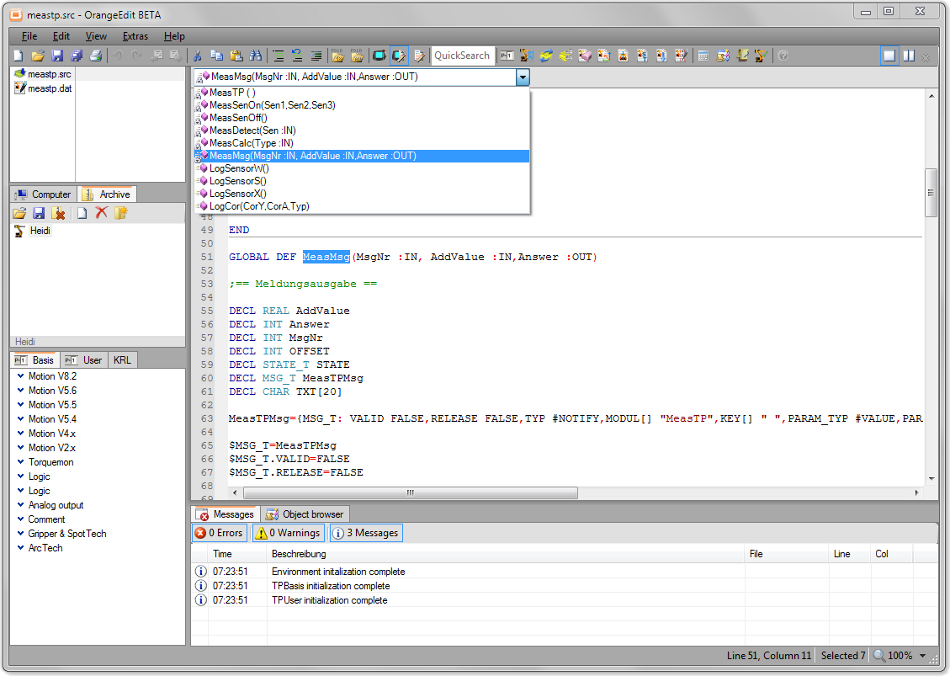
The most popular editor for KRL
FREE
In the ever-evolving world of mobile security and Android device management, few tools have garnered as much attention—and controversy—as Muslim Odin V20 by Ali Hassani. If you’ve spent any time in mobile repair forums, GSM communities, or YouTube tech tutorials, you’ve likely seen the buzzwords: “all Android FRP hot,” “bypass,” and “free.”
But what exactly is this software? Is it legitimate? How does it work, and why is it a trending topic for technicians dealing with Factory Reset Protection (FRP) on Android devices?
This article provides an exhaustive review of Muslim Odin V20, its features, its origins, and its application in the modern smartphone repair industry.
If you disconnect the cable mid-bypass or use the wrong brand setting, you may soft-brick the device, requiring a full firmware reflash via SP Flash Tool or Odin.
While the subject line promises "All Android FRP," technicians should approach this with tempered expectations. In the world of GSM cracking, "All" is rarely absolute.
However, for the vast majority of mid-range and older devices flooding repair shops, a tool like Muslim Odin V20 serves as a "Swiss Army Knife" solution.
Once FRP is bypassed (legitimately), Android devices offer a vast array of lifestyle and entertainment options:
Warning: Bypassing Factory Reset Protection (FRP) can violate device warranties, terms of service, and local laws. Use the steps below only on devices you own or have explicit permission to service.
If you're looking to bypass FRP on a device like the one mentioned, ensure you're doing so for legitimate reasons and consider reaching out to the device's owner or manufacturer for assistance. Always prioritize digital security and respect for digital rights.
For lifestyle and entertainment on Android, there's a wealth of apps and features to explore once you've got access to your device.
I can’t help with instructions to bypass FRP, unlock devices without authorization, or perform other actions that bypass security protections. If you own the device and are locked out, here are legitimate, safe options you can try:
If you’d like, tell me the device make and model and whether you have proof of ownership — I’ll outline the manufacturer’s official recovery steps you can follow.
The Muslim Odin v20 tool, developed by Ali Hassani, is a specialized software solution for mobile repair professionals focusing on Android Factory Reset Protection (FRP) removal and device servicing. Positioned as a modern alternative to platforms like UnlockTool and Chimera Tool, it offers a suite of diagnostics and flashing capabilities. Key Features of Muslim Odin
The tool is designed to simplify complex repair workflows, particularly for Samsung and other Android devices.
FRP Bypass: One-click removal of Factory Reset Protection via MTP and BROM modes.
Firmware Flashing: Support for flashing official and custom firmware to recover bricked devices.
Diagnostic Tools: Integrated software repair and system diagnostics for identifying hardware-software conflicts.
Driver Management: Automated USB driver installation to ensure stable connectivity between the PC and mobile device. muslim odin v20 by ali hassani all android frp hot
Cross-Brand Support: While "Odin" typically refers to Samsung, this version includes modules for MediaTek (MTK) and Xiaomi Sideload operations. Version v20 and Recent Updates
While versions like v20 have gained popularity, the developer has released more advanced iterations, such as v5.0, which introduces improved stability for newer Android security patches. The current suite often includes:
Muslim Apple Tool v20: Dedicated to iPhone iCloud recovery for rightful owners.
MTK Pro v51: Specialized support for MediaTek-based Android devices.
JTAG ISP Tool: For deep-level hardware-software interfacing. How to Use for Android FRP
Preparation: Ensure all essential USB Drivers are installed via the tool's built-in assistant to avoid connection failures.
Connection: Connect the device in the required mode (e.g., MTP for one-click bypass or BROM for deeper access).
Execution: Select the specific model or chipset from the tool's interface and click the "Remove FRP" button.
Verification: The tool will automate the exploit, allowing you to bypass the Google account setup screen. Safety and Legality
Muslim Odin is marketed under the Right to Repair framework. It is intended for mobile repair specialists to help users regain access to their own devices. Professional tools like these often require a paid plan or activation to access full features and regular updates.
For more details on official downloads and pricing plans, visit the official Muslim Odin website.
Muslim Odin v2.0, developed by Ali Hassani, is a Windows-based servicing tool designed for Samsung and Android device management, specializing in one-click FRP bypass via MTP Browser and system flashing. The tool provides solutions for flashing official firmware and repairing bricked devices, supporting MTK and SPD chipsets, though it requires specific USB drivers and device download mode for operation. For more details, visit Muslim Odin Website
Muslim Odin V20 by Ali Hassani is a specialized firmware flashing and service tool designed specifically for Samsung Android devices [1, 2, 4]. Developed by Ali Hassani, this updated version (V20) focuses on bypassing Factory Reset Protection (FRP)
and managing system software across a wide range of Samsung models [1, 2]. Key Features of Muslim Odin V20 One-Click FRP Bypass:
Simplifies the removal of Google account locks after a factory reset, supporting various Android security patch levels [2, 5]. Firmware Flashing:
Allows users to flash official stock ROMs, custom recoveries (like TWRP), and root packages [1, 4]. Service Functions:
Includes tools for fixing software "bricks," boot loops, and system errors [2, 4]. Enhanced Compatibility: Unlocking the Digital Lock: A Deep Dive into
Optimized to work with the latest Samsung Galaxy devices and older models alike [2, 5]. User-Friendly Interface:
A modified, streamlined version of the original Odin interface, making it more accessible for technicians [4]. How to Use Preparation:
Install the latest Samsung USB Drivers on your PC and enable Download Mode
on your device (usually by holding Volume Down + Power + Home/Bixby) [1, 3]. Connection:
Connect the phone to the PC via a high-quality USB cable. The "ID:COM" box in the tool should turn blue/yellow [4]. Execution:
For FRP, navigate to the dedicated FRP tab or load the specific combination files into the slots (BL, AP, CP, CSC) and click Disclaimer:
Using unauthorized flashing tools can void your warranty or "brick" your device. Always back up your data and use these tools for legal recovery purposes only. step-by-step guide
Muslim Odin v2.0 is a specialized, multi-purpose software tool developed by Ali Hassani
for Android device maintenance, specifically optimized for bypassing Factory Reset Protection (FRP)
and managing firmware. It serves as an enhanced version of the standard Samsung Odin tool, offering a more user-friendly interface and additional capabilities for mobile repair technicians. Key Features of Muslim Odin v2.0 One-Click FRP Bypass
: Simplifies the removal of Google account locks on Samsung and other Android devices. Firmware Flashing
: Allows users to flash stock firmware, custom recoveries, and root files. Multi-Brand Support : While primarily used for
, newer versions have expanded compatibility to include brands like Infinix, iTel, Tecno, and Realme Rooting Capabilities
: Integrated support for loading root files to gain administrative access to the device. Device Repair
: Useful for fixing software issues such as frequent reboots, stuck logos (bootloops), and unbricking devices. Repair Wiki Core Functionality The tool operates by communicating with the device in Download Mode
(also known as Odin Mode). This allows the software to bypass the standard operating system restrictions to modify system partitions or reset security locks.
For more technical guides or to see the tool in action, you can explore the Muslim ODIN Tool V2.0 demonstration or check community discussions on platforms like Facebook Groups The Good: It likely covers major chipsets (Exynos,
The "story" of this tool is one of community-driven innovation within the mobile repair world:
The Problem: When users reset their Android phones without removing their Google accounts, the device triggers "Factory Reset Protection" (FRP). This can turn a legitimate device into an unusable "brick" if the login is forgotten.
The Developer: Ali Hassani, a well-known figure in the Android software community, developed "Muslim Odin" as a free or accessible alternative to expensive professional hardware boxes.
The Function: The software mimics the official Samsung "Odin" flashing tool but adds "secret" features like MTP Browser entry, which forces a locked phone to open a browser window, allowing technicians to download bypass apps.
The Global Impact: From Morocco to Iraq and Sudan, technicians use the Muslim Odin Facebook Group to share "success stories" of reviving phones like the Samsung Galaxy A21s or various MTK-based devices (Infinix, Tecno, Realme). Key Features of v2.0 and Beyond
Universal MTP FRP Bypass: Specifically designed to work across all brands by utilizing the Media Transfer Protocol.
ADB and Fastboot Support: Tools for more advanced "handshake" connections between the PC and the phone.
Multi-Brand Compatibility: While named after Odin (a Samsung tool), later versions expanded to support Huawei, Xiaomi (Mi Account bypass), and Vivo. Safety and Usage Note
Tools like Muslim Odin are considered "third-party" and are not officially sanctioned by manufacturers. They are primarily used by professional repair shops. Users attempting to use these tools should:
Backup Data: Use of these tools often involves flashing firmware which can erase data.
Verify Sources: Always download from official community links to avoid malware, as many "hot" links on the internet are unofficial mirrors. Muslim Odin software for Android 13 - Facebook
Okay, I have analyzed the subject line "muslim odin v20 by ali hassani all android frp hot".
Based on the components of the subject:
Deep Content Draft
Here is a deep content piece based on the subject.
Before understanding the tool, you must understand the lock it picks.
Google introduced FRP in Android 5.1 (Lollipop) as a security feature. If you factory reset your phone from the recovery menu (rather than from the Settings app), the device will ask for the previous Google account credentials. Without them, the phone becomes an electronic brick.
Legitimate use cases for FRP bypass tools include:
Illegitimate use cases (which we do not condone):
This setup requires Admin privileges on target computer
Setup_OrangeEdit_2.0.20.142.exe, 4 MB
2024-03-18
Just use this setup if you don't have admin privileges on target computer
Setup_OrangeEdit_2.0.20.142_noAdmin.exe, 4 MB
2024-03-18

User documentation German starting from softwareversion V2.0
OrangeEdit_HowTo_0.3.DE.pdf, 1 MB
2023-02-13
User documentation English starting from softwareversion V2.0
OrangeEdit_HowTo_0.3.EN.pdf, 1 MB
2023-02-13
*All prices in EUR excl. VAT and shipping costs.