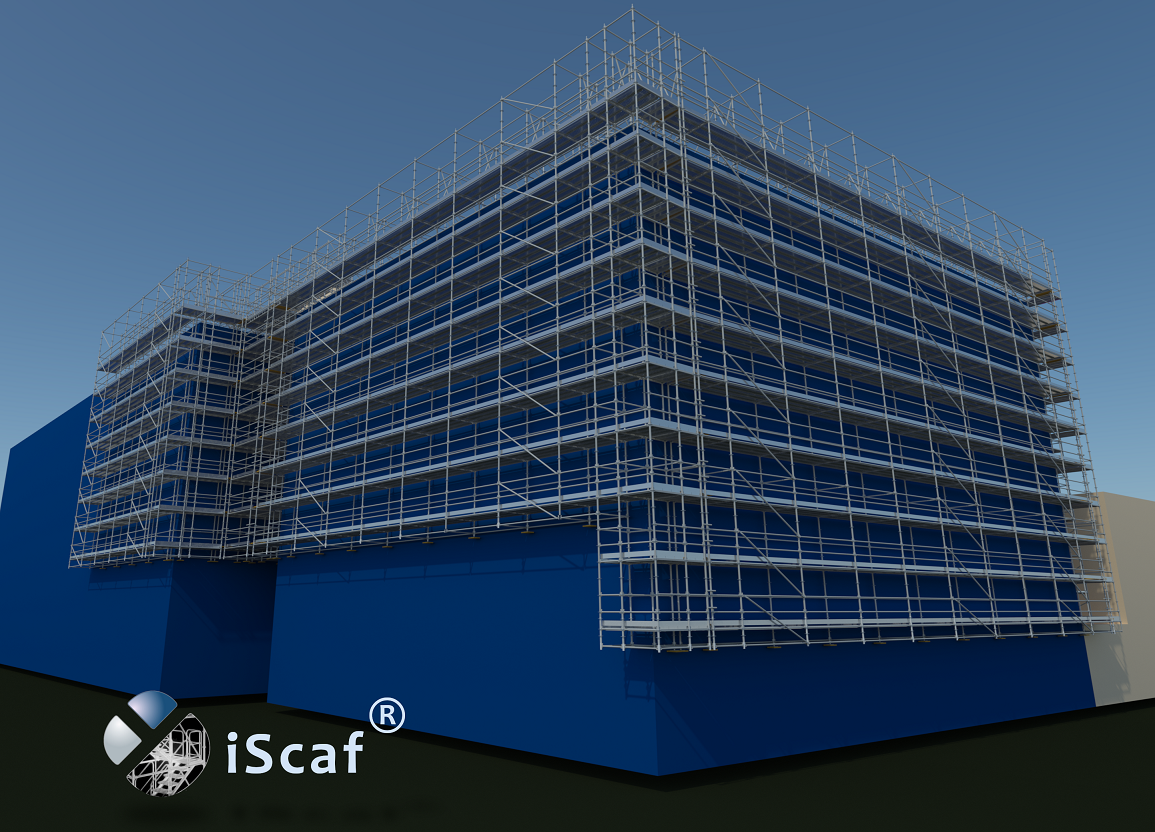
“iScaf® 11.0” is the latest version of the most respected scaffold design and estimating system available. Now with 3D solid rendering, iScaf® will enable you to design scaffold plans with full side elevations, and detailed 3D Drawings of your scaffold. iScaf® will generate an accurate bill of materials quickly and automatically with totals including length, weights and area. iScaf® will help save time and help you win more business with the impressive presentations produced by the latest release. iScaf® can be integrated with the iRent® system modules.
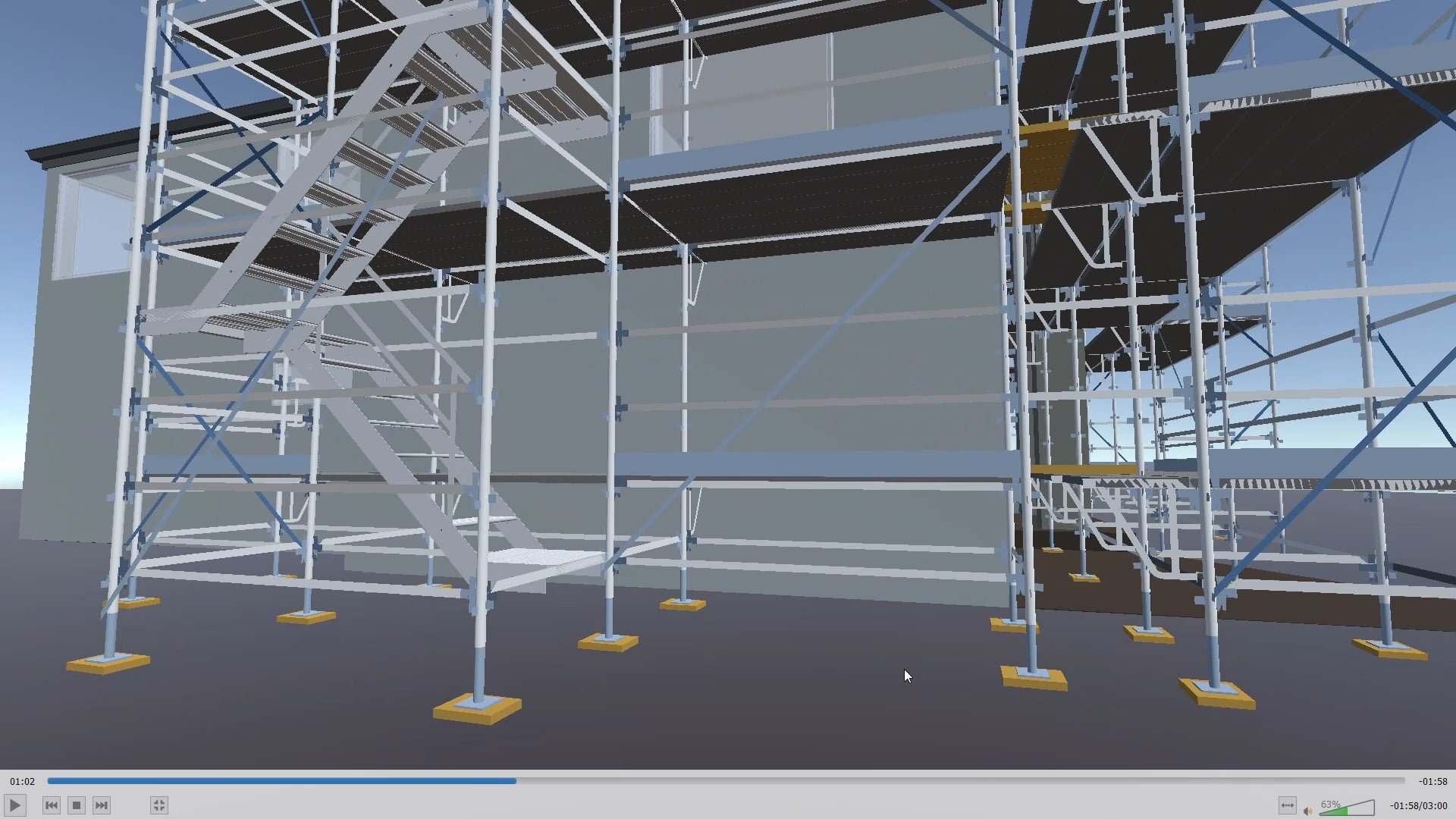
There have been many new exciting developments recently with iScaf®. Please review our Latest News page to keep updated with new developments and new products that integrate with iScaf®.
iScaf® RealView is a new service available from Scaffolding Software that will allow you to create an interactive 3D scaffold experience.
Please contact us for more information.
Visit our iScaf® RealView page.
Yes. Version 11.0 provides access to the best of both worlds. In addition to the standard menu controls, it makes available the latest interface, including a new ribbon menu. This gives you access to all the controls necessary for drawing scaffold; even more quickly and easily than before. No matter whether you are a scaffold expert (with limited computer experience) or a CAD expert (with many of your own custom templates and blocks), our software is there to provide the power at your fingertips.
iScaf® is a fully self-contained software system that can be downloaded and deployed on Microsoft Windows PC or Cloud systems.
Behind the scenes, iScaf® uses the powerful AutoCAD drawing engine to draw and estimate scaffold. Our product can still be used effectively by all users, though, even those without any CAD knowledge. Due to a bulk licensing agreement, we are now able to offer an even more affordable pricing structure. There is no need to purchase AutoCAD or any additional CAD software to use the iScaf® product.
Please click on the image to view the latest iScaf® demonstration.
Some Existing iScaf® Modules: Layher Generic, Plettac Generic, Ringlock Generic, Cuplock Generic, Kwikstage Generic, Basic Formwork, Basic Shoring, USA Excel Modular Scaffold, USA Frames (all styles), USA K-Lock, USA Safway Modular System, USA Safway Frames, USA Wedgelock, USA AT-PAC style, USA Layher (Imperial), Canada Etobicoke Ironworks style, Australia – AT-PAC, Australia – ACROW, Australia – Frames (Western Australia), Australia – KwikStage, Australia – Cuplok, Australia – Layher (Metric) U-Deck and O-Deck, Australia – Quickally, Australia – Aluminum Kwikstage, Australia – SafeSmart Access ProScaff U-Deck and O-Deck, New Zealand – Layher (Metric) U-Deck and O-Deck, New Zealand – Kwikstage, New Zealand – SafeSmart Access ProScaff U-Deck and O-Deck, New Zealand – Aluminium Kwikstage, England/Ireland/Scotland – Kwikstage, England/Ireland/Scotland – Cuplok, Germany – Plettac Perfect Contour, Germany – Plettac SL Frames, Germany – Plettac SL70 Frames, Germany – Plettac S System, Germany – Layher Allround, Germany – Layher Speedyscaf, Holland – Crab 32, Italy – Multidirectional System, Italy – SM8, Italy – Realpont, Italy – Pilosio Frames, Italy – Rapid Scaf, Portugal – Nor48, Portugal – Adapt, Sweden – Layher, Poland – Layher.
iScaf® does not build scaffold entirely out of tube and clip.
We do allow tube and clip in between bays for system scaffold like tube ties, tube handrail or tube for wall ties.
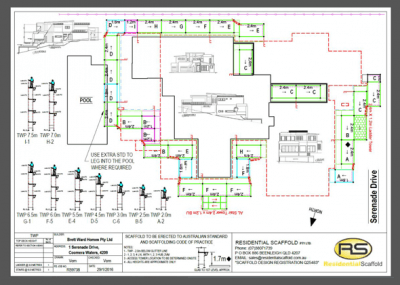
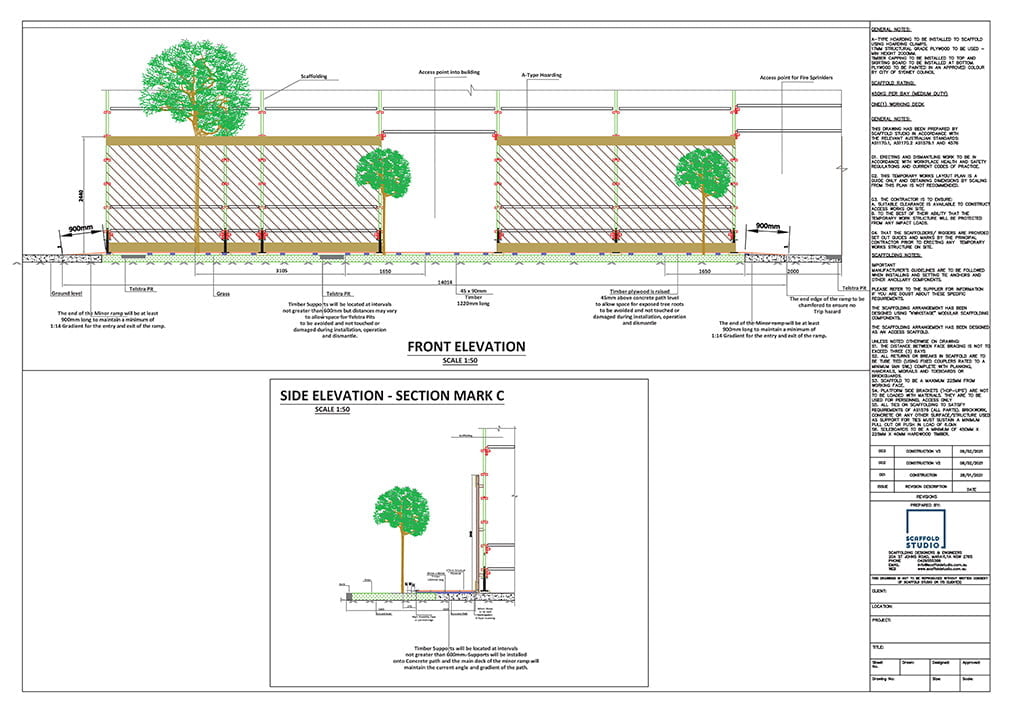
“iScaf®” allows you to provide detailed Plan, Elevation and 3D colour drawings with your estimates and quotes. The output is perfect for scaffolders on-site, providing them with the assurance that they know exactly what is required to build. It is also a perfect demonstration tool, allowing you to show your clients just what you can do for them. “iScaf®” allows you to scaffold using an architectural drawing of any structure you choose. Import the image in PDF or scanned format and trace around the outline.
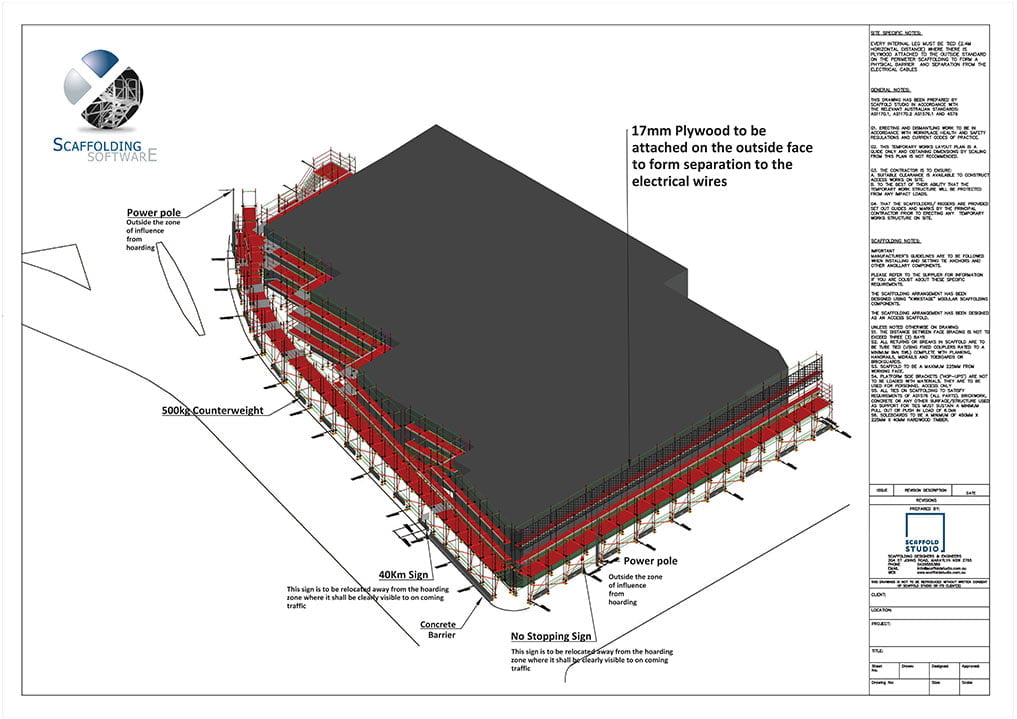
Print your full design on any standard size paper, with your choice of: company logo; additional text and extra information about your company. Our product also allows you to easily scale drawings using 1:100, 1:200 or any other ratio you may prefer. By presenting your drawing in this way, “iScaf®” allows you, your clients, and your scaffolders to clearly understand what is required when it’s time to actually build the scaffold on site.
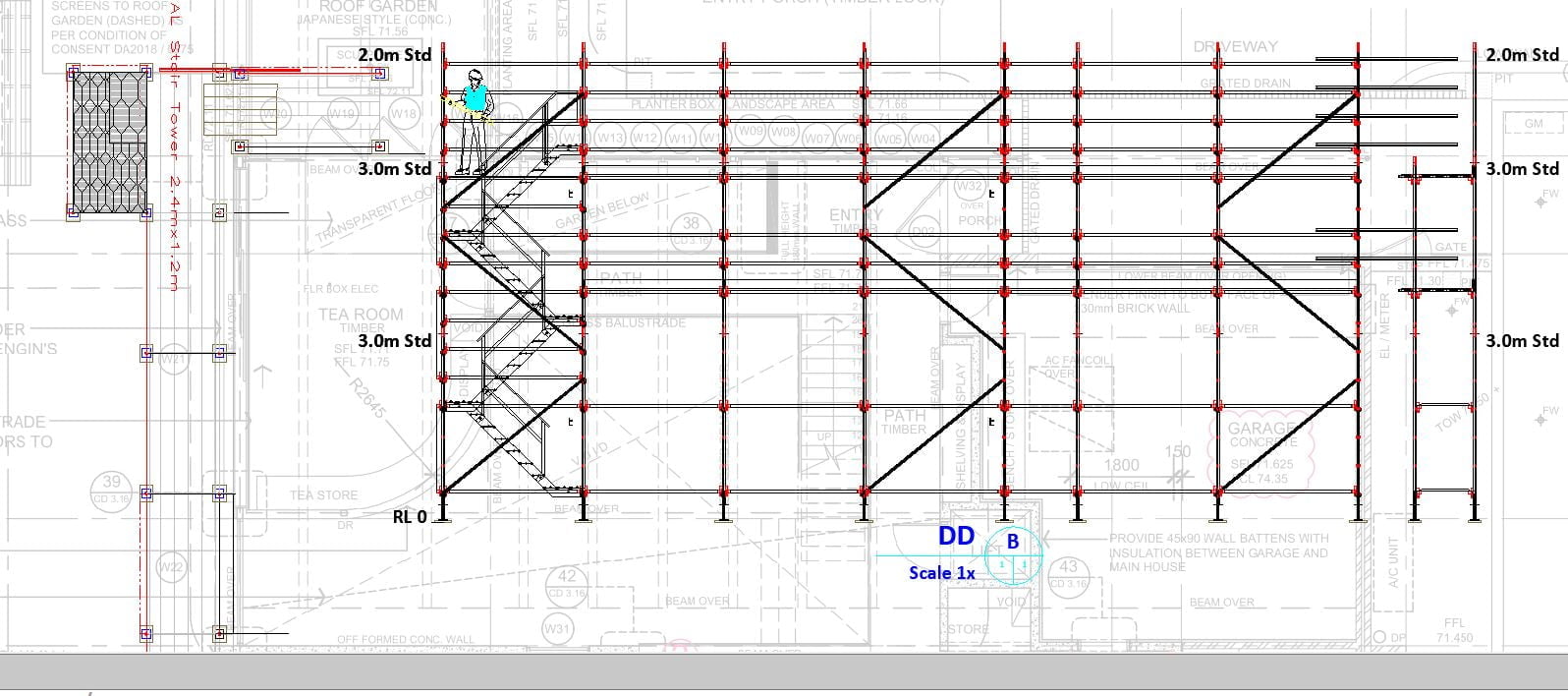
Some other products used for creating scaffolding includes functions for creating three dimensional representations of a scaffolding design. “iScaf®” is no exception in this regard. It not only generates professional 3D drawings but also goes the extra distance of allowing you to produce sectional/elevation constructions These offer the advantage of providing an unimpeded view of the standards (verticals) layout and can be customised to include your own company title block.
iScaf® is used extensively in the field with THOUSANDS of drawings delivered every week by our clients in practical real world situations. While other systems may grind to a halt with more than 50 scaffold bays, iScaf® can handle extremely large real world commercial projects and complex designs which can be edited as requirements and conditions may change on site. iScaf® is only limited by your own creativity.
iScaf®11 Gallery
Feel free to contact one of our official customer reference sites. Customer reference sites.
We also have an additional parts library which can used to enhance your design or you can design your own components and blocks to customise your design and annotate you presentations.
“iScaf®” Supports many types of modular or frame scaffold systems and can also be customised to suit special needs.
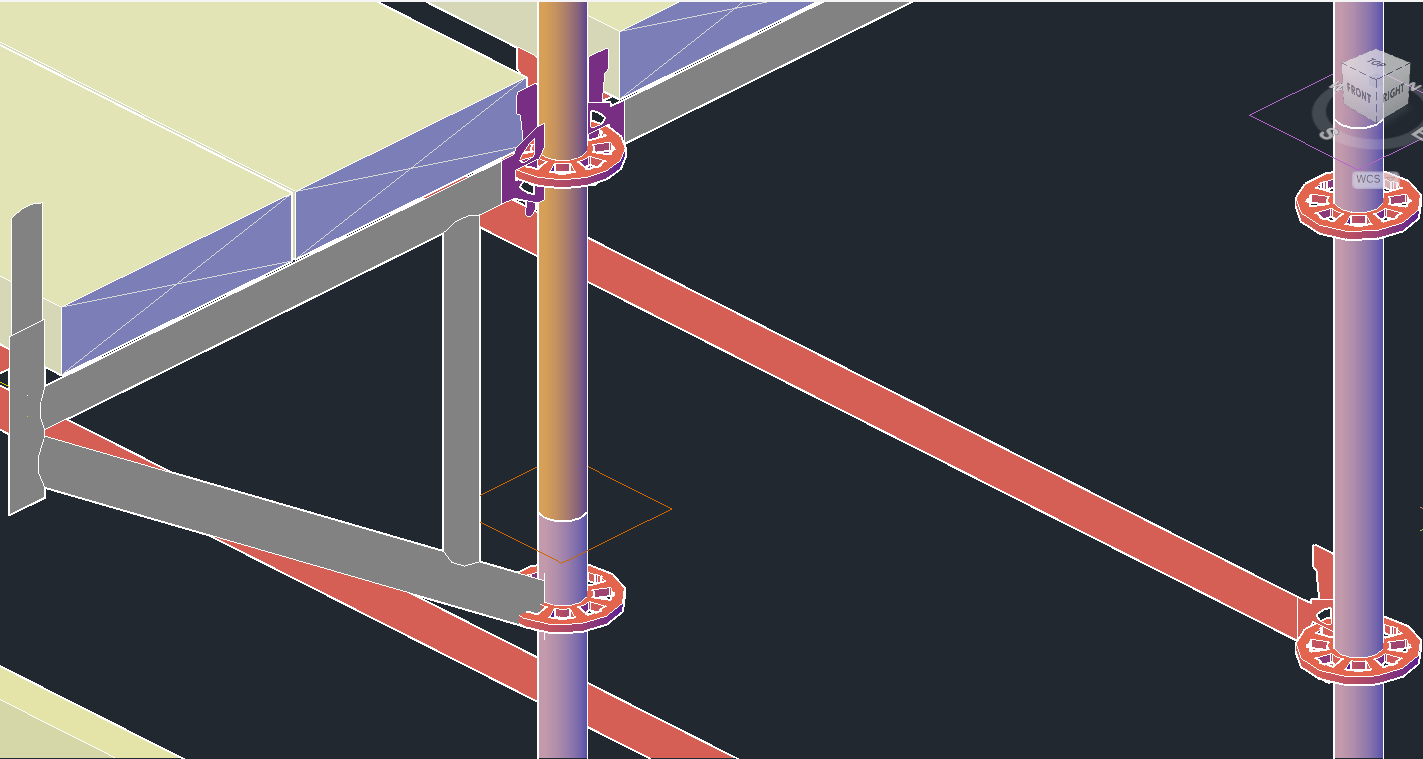
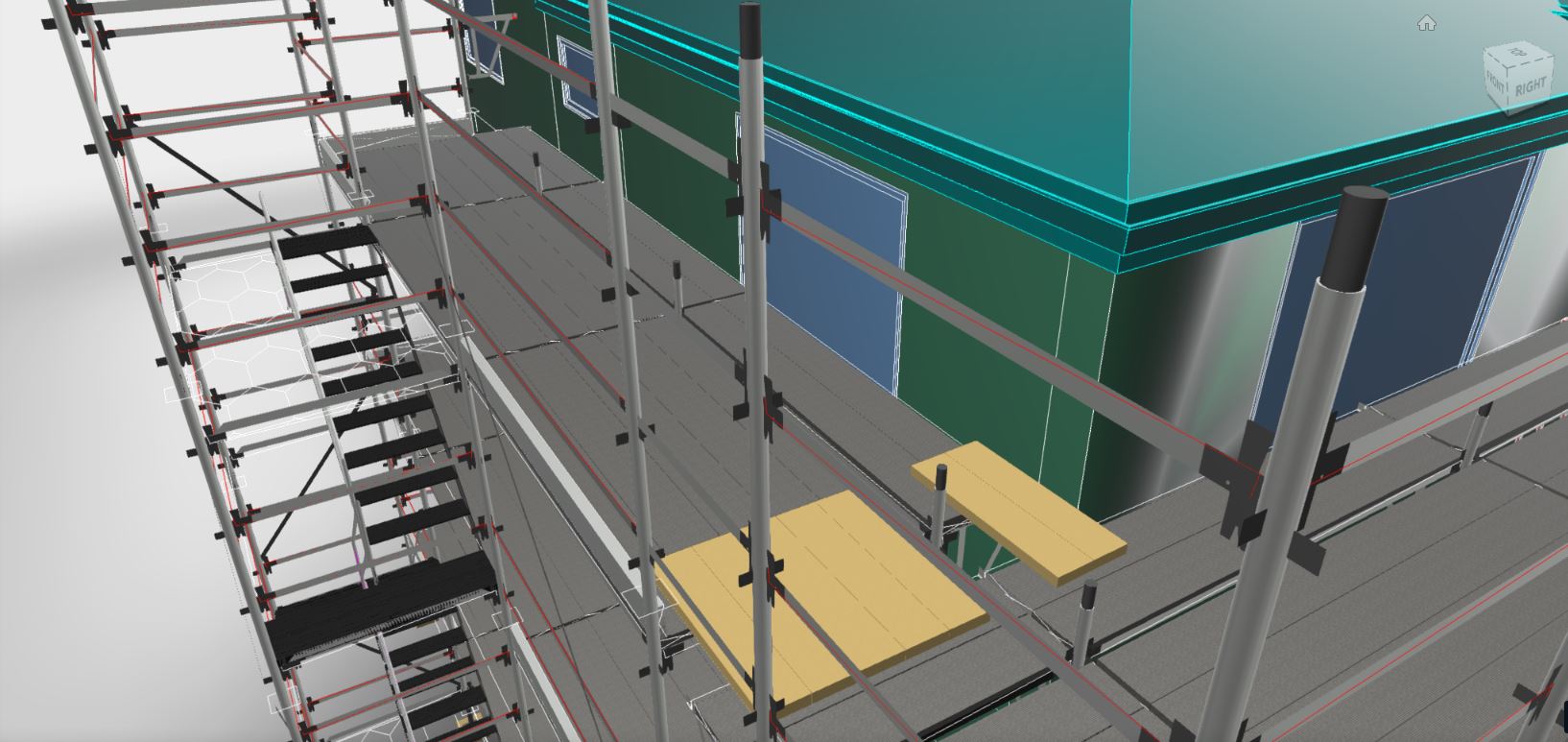
What you see is what you get. Every single component is counted based on the scaffold that you use. With our experience in the industry, we know how most scaffold systems are constructed. All the different dimensions for the ladder towers and stair units are built the way you would build them right down to the stair stringers, stair treads, platforms, trap doors, landings and handrails. We also understand that every scaffold business does things a little differently to their neighbour, so please talk to us about your specific needs.
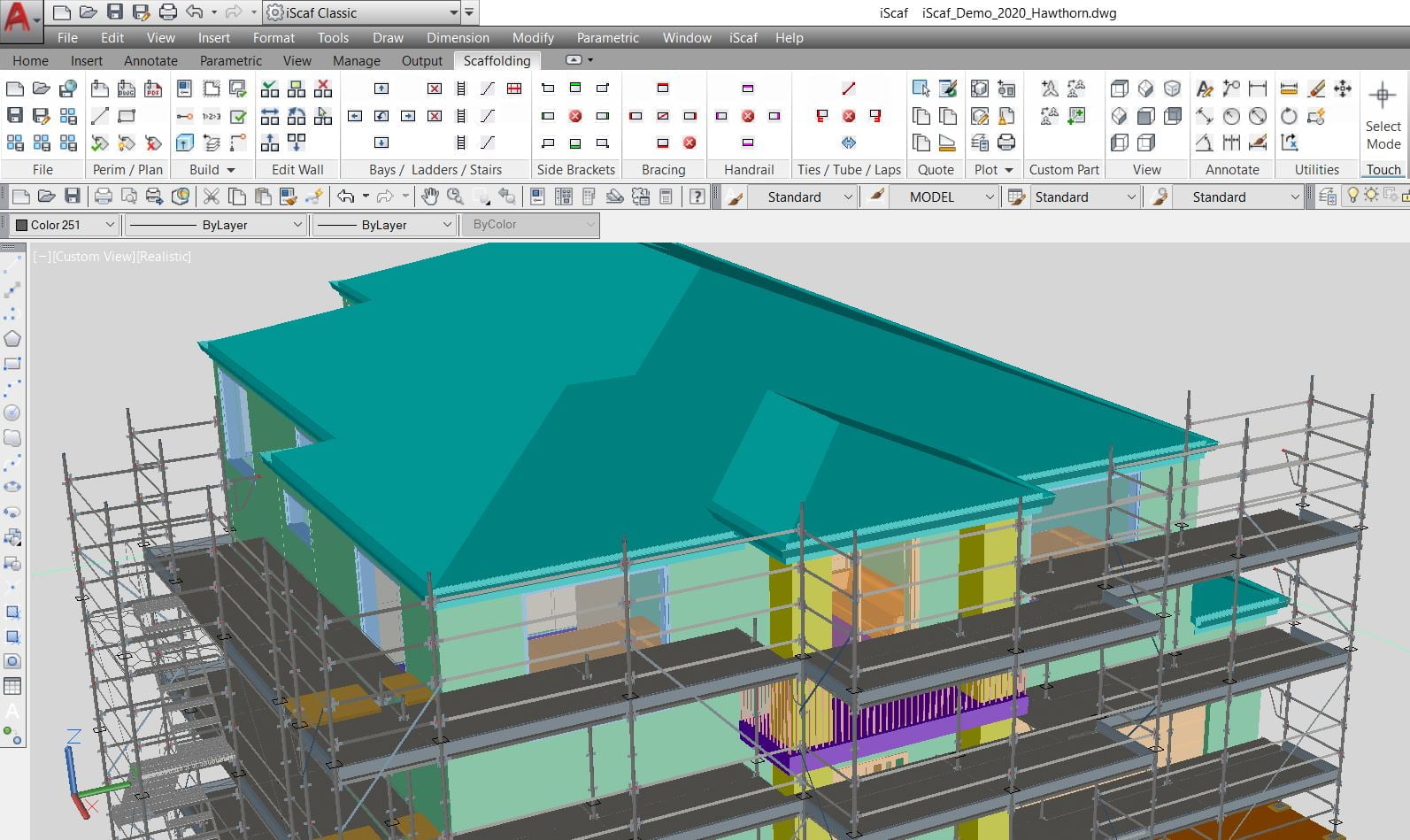
What Scaffold Systems does iScaf® support? iScaf® can handle a number of scaffold systems such as the main ones including Ringlock, Layher, Cuplock, Kwikstage and Frame. Almost any scaffold system can be supported with iScaf®. The iScaf®“Modules” system allows Scaffolding Software to create variations and customisations within each module since we understand that different businesses can have variations in the way their scaffold is built. This gives iScaf® very good flexibility.
Please Click Here to view a more comprehensive list of iScaf® scaffold modules.
iScaf® will NOT handle scaffolds built entirely out of tube and clamp.
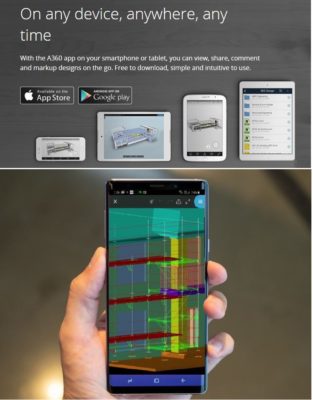
With the use of additional cloud based tools by Autodesk®, iScaf® drawings can be shared to mobile, iOS, Android, PC and MAC devices. Your employees and clients can view iScaf® drawings anywhere with the multi-platform viewer. If more power is needed with annotation and mark-up, then the Autodesk® APP can be used with the iScaf® Drawings.
iScaf® Drawings and the accompanying material list quote can be converted easily to a custom PDF or exported to a variety of formats.
Please visit the Scaffolding Software YouTube Channel for more information and tutorials in relation to viewing and sharing iScaf® drawings.
Please note that since January 2014, all our products use an activation system for license control. We no longer use the dongle or hardware lock type system. This has been very well received and we will continue this approach. If your business still uses the old hardware lock system, we will still provide support but we recommend that you upgrade.


Minimum System Requirements
| Operating System | Microsoft Windows 11 x64 edition version 21H2 or above. Note Windows x32 editions are NOT supported |
| CPU Type | Basic: 2.5-2.9 GHz processor with 8 logical cores (base) ARM Processors are not supported. Recommended: 3+ GHz processor (base), 4+ GHz (turbo) Intel options: i5/i7 7000+ series AMD options: Ryzen 3000+ series |
| Memory | 16 GB (32 GB or greater highly recommended) |
| Display Resolution | Conventional Displays: 1920 x 1080 with True Color (24 bit/16 Million Colour mode) Display (with capable display card) High Resolution & 4K Displays: Resolutions up to 3840 x 2160 supported on Windows 10/11, 64-bit systems, (with capable display card). Display Scaling suggested to be limited to 150% max, suggest 125% or 100%. |
| Display Card | Basic: 2 GB GPU with 29 GB/s Bandwidth and DirectX 11 compliant Highly Recommended: 8 GB GPU with 106 GB/s Bandwidth and DirectX 12 compliantDirectX 12 with Feature Level 12_0 is required for Shaded (Fast), Shaded with edges (Fast), and Wireframe (Fast) visual styles. Please be sure to use the latest drivers from the video card manufacturer’s website.Note: iScaf uses your computer’s display card for a variety of essential graphics operations including but not limited to view manipulation, line smoothing, and text/linetype generation. It is recommended that you have a display card with dedicated VRAM to support these operations at optimal speeds. |
| Disk Space | 20.0 GB (suggested SSD) |
| Pointing Device | MS-Mouse compliant device with wheel and wheel/3rd button |
| Browser | Microsoft Edge / Mozilla Firefox / Google Chrome |
| .NET Framework | .NET 8 |
Regarding Windows 10 Support: If a vendor discontinues support for an operating system, we will also discontinue support for our software running on that operating system, even if it is among the eligible previous versions. iScaf Build 5235+ will be Windows 11 only.
Upload your pics fashion photoshoot and style gallery hubs are revolutionizing the way we interact with personal style, professional photography, and digital shopping. Moving far beyond the static grids of traditional social media, these interactive galleries serve as highly tailored spaces where everyday consumers, professional creators, and retail brands converge.
Whether you are looking to build a digital modeling portfolio, find realistic outfit inspiration based on your body type, or harness community content to drive retail sales, understanding how to maximize these platforms is essential. 🌟 The Evolution of Fashion Galleries
The modern "Upload Your Pics" fashion gallery is a direct response to the demand for authentic, relatable style representation. Historically, fashion imagery was gatekept by massive publications and highly edited studio shoots. Today, advanced gallery ecosystems offer democratized spaces where real people showcase real-world aesthetics.
These platforms generally fall into three distinct categories:
Brand-Integrated Galleries: Retailers and e-commerce stores feature these hubs directly on their websites. Consumers upload photos wearing the brand's clothing (often via a custom hashtag), creating a live, shoppable lookbook of real people.
AI-Powered Virtual Studios: Emerging platforms allow users to upload several standard selfies to generate high-fidelity, studio-quality fashion photoshoots in hyper-realistic digital environments.
Community Style Networks: Social-professional hybrids where photographers, stylists, and fashion enthusiasts share high-definition editorial work to gain industry visibility and foster creative networking. 📸 How to Execute the Perfect Fashion Photoshoot
If you are planning to upload your pictures to a dedicated style gallery, quality and intentionality are paramount. You do not need a multi-thousand-dollar camera setup to stand out; instead, focus on fundamental execution. 1. Plan a Cohesive Concept
Do not just shoot random outfits. Create a digital mood board to establish a clear direction.
Decide on a location that matches the vibe of the clothing (e.g., sleek concrete architecture for streetwear, or soft natural parks for bohemian aesthetics).
Choose a tight color palette to make the final gallery grid look visually cohesive and curated. 2. Master Lighting and Angles
Good lighting separates amateur snapshots from professional-grade gallery entries. upload your nude pics top
Seek out natural, diffused light. Golden hour—the hour just after sunrise or before sunset—yields soft, flattering tones without harsh shadows.
If shooting indoors, position your subject facing a large window rather than standing directly beneath overhead artificial lights.
Experiment with diverse camera angles. Shoot slightly from below to create an elongated, powerful silhouette, or use overhead flat-lays to display flat apparel combinations. 3. Utilize Smart Editing
Post-processing should enhance your photo, not completely alter reality. Use established mobile and desktop editors to adjust the exposure, contrast, and color balance to make the garments pop without distorting the fabric's true color. 🤖 The Rise of AI Style Galleries
The absolute cutting edge of the "upload your pics" movement is the intersection of artificial intelligence and personal style. Advanced generative platforms are eliminating the need for expensive physical photoshoots entirely.
By uploading between 10 to 20 reference photos of yourself from varied angles, specialized AI systems can train a custom character model. Once the model is locked in, you can place your digital twin into any conceivable outfit or fantasy photoshoot location using simple text prompts. This technology allows independent designers to generate high-end campaign imagery on a minimal budget and gives everyday users a sandbox to safely experiment with extreme or expensive aesthetics before purchasing physical clothing. 📈 Why Brands Must Adopt Interactive Galleries
For modern e-commerce retailers, hosting a native user-generated fashion photoshoot gallery is no longer a luxury; it is a critical driver of conversion and trust.
Social Proof that Converts: Consumers trust photos of real people drastically more than polished, airbrushed studio campaigns. Seeing a garment on a variety of body shapes gives shoppers the confidence to click "buy."
Massive Reduction in Return Rates: One of the primary reasons for clothing returns is poor fit. Style galleries allow shoppers to find uploaded community photos of people with similar height and weight metrics, ensuring accurate expectations of how the fabric drapes and fits.
Continuous Content Generation: Instead of paying for continuous commercial photoshoots, brands can incentivize their own community with discounts or reward points to continuously upload high-quality imagery, yielding a self-sustaining marketing engine.
If you are ready to take your digital style presence to the next level, I can provide actionable steps customized to your specific goals. Tell me: Upload your pics fashion photoshoot and style gallery
Are you a shopper looking for realistic outfit inspiration, a creator/model trying to build a public portfolio, or a brand owner looking to integrate a gallery into your store?
Do you prefer shooting physical photography or experimenting with generative AI tools?
I can give you step-by-step instructions on platform selection, prompt engineering, or e-commerce integration! How to Use Higgsfield AI Better than 99% of People
To help you create a compelling post for your "Fashion Photoshoot and Style Gallery," I've gathered some high-impact visual inspiration. These examples showcase everything from modern digital gallery layouts to creative photoshoot themes and moodboards that encourage community interaction. Fashion & Style Inspiration
In the digital age, fashion is no longer confined to the glossy pages of high-end magazines or the exclusive runways of Paris and Milan. Today, the most influential trends are born on the streets and curated in digital spaces. If you are looking to showcase your unique aesthetic, the call to upload your pics fashion photoshoot and style gallery is your invitation to join a global community of creators. Whether you are an aspiring model, a dedicated photographer, or a style enthusiast, building a digital gallery is the ultimate way to establish your visual identity.
The concept of a style gallery goes beyond mere social media posting. It is a curated, professional-grade portfolio that tells a story through lighting, composition, and garment selection. When you upload your latest fashion photoshoot, you aren't just sharing a moment; you are contributing to a living lookbook of modern culture. High-quality galleries allow others to draw inspiration from your color palettes, textures, and silhouettes, turning your personal wardrobe choices into a source of creative spark for others.
For photographers and stylists, a style gallery serves as a dynamic resume. It provides a centralized location where potential collaborators and clients can view the consistency of your work. By uploading high-resolution images from a themed photoshoot—be it avant-garde, minimalist, or vintage-inspired—you demonstrate your technical skill and your eye for detail. This visibility is crucial in an industry that moves at lightning speed, where being "seen" by the right person can lead to career-defining opportunities.
Moreover, the process of creating and uploading to a fashion gallery encourages artistic growth. It forces you to look at your work critically, selecting only the shots that best represent your vision. You begin to notice the nuances of how fabric moves in the wind or how shadows can transform a basic outfit into a dramatic statement. This refinement is what separates a casual hobbyist from a professional stylist.
If you are ready to make your mark, don't let your best shots sit on a hard drive. Take the leap and upload your pics to a fashion photoshoot and style gallery today. Share your perspective, experiment with new aesthetics, and watch as your personal style resonates with an audience that appreciates the art of the outfit. In the world of digital fashion, your next upload could be the spark that starts the next big trend.
In today's digital age, the way we share and manage personal content has become more complex. This includes the sharing of sensitive or personal images, which can have significant implications for privacy, consent, and security. Whether you're considering sharing photos for personal reasons or understanding the implications of such actions, it's crucial to approach this topic with care and awareness.
Many gallery platforms include community features. By sharing your photoshoot, you invite feedback from peers who understand lighting, posing, and texture. This accelerates your growth faster than shooting in a vacuum. Encryption and Secure Storage: If you must store
Best for: Encouraging user interaction and building community.
Caption:
✨ The Spotlight is Waiting for You! ✨
We want to see your style magic! Whether you just wrapped up a high-fashion photoshoot, curated the perfect outfit of the day, or simply snapped a killer mirror selfie—your look deserves to be seen. 📸💅
We are officially calling for submissions for our Style Gallery!
👇 How to participate: 1️⃣ Upload your best pics right here in the comments (or use the link in our bio). 2️⃣ Tag us and use the hashtag #MyStyleGallery so we don't miss it! 3️⃣ Tell us the story behind the fit!
From streetwear to couture, we want it all. Your style could be featured in our next "Best of the Week" spotlight! 🌟
Don’t let those hard drives stay hidden—upload your pics now! 📂➡️🚀
A good style gallery allows you to sort by "Editorial," "Commercial," "Streetwear," or "Beauty." Cohesion is key in fashion. A jumbled Instagram feed might be entertaining, but a categorized gallery is professional.
Encryption and Secure Storage: If you must store or share sensitive images, look into secure, encrypted platforms or services. These can offer a layer of protection against unauthorized access.
Password Protection: Always use strong, unique passwords for your digital accounts, and consider two-factor authentication (2FA) for an added layer of security.